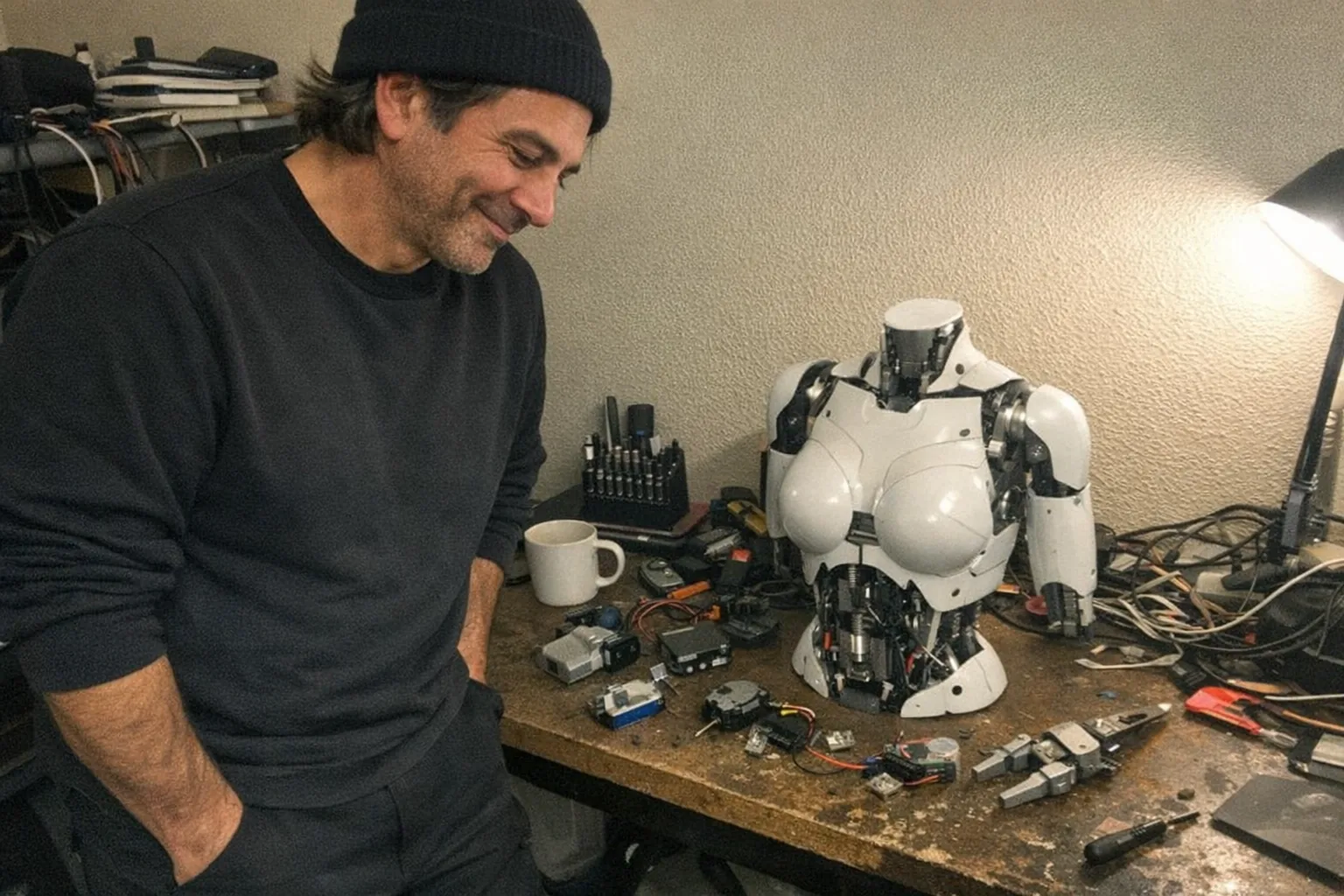
What are the 7 components of a robot?
Most robots look wildly different—industrial arms, warehouse bots, home vacuums, humanoids—but they’re typically built from the same core building blocks. If you can name these parts and what they do, you’ll understand why a robot can move, sense the world, and carry out tasks.
Below are the 7 components of a robot, explained in plain English, with examples you’ll recognize.
1) Mechanical structure (frame / chassis)
The structure is the robot’s body: the frame, casing, joints, mounts, gears, wheels, limbs—anything that gives it physical form.
- What it does: Holds everything together and defines how the robot can move (arm joints vs. wheels vs. tracks).
- What to look for: Rigidity, weight, balance, and how parts are protected (covers, enclosures, seals).
Example: A robot arm’s links and joints; a delivery robot’s chassis and suspension.
2) Actuators (motors that create motion)
Actuators are what make a robot physically move. They convert energy into motion.
Common actuator types: - Electric motors (DC, servo, stepper) - Pneumatics (air-powered cylinders) - Hydraulics (fluid-powered—strong, heavy-duty)
- What they do: Move joints, spin wheels, open/close grippers, adjust mechanisms.
- Key idea: Actuators are the “muscles.” Without them, a robot can sense things but can’t act.
3) Sensors (inputs from the world and the robot itself)
A robot isn’t “smart” just because it has a computer—it needs sensors to know what’s happening.
Typical sensor categories: - External sensors (environment): cameras, lidar, ultrasonic, infrared, touch/pressure sensors - Internal sensors (self-awareness): encoders (position), IMUs (tilt/acceleration), current/torque sensors, temperature sensors
- What they do: Provide feedback so the robot can detect obstacles, measure position, confirm contact, and adjust behavior.
- Key idea: Sensors are the “nerves.” They turn real-world conditions into data.
4) Power system (energy source + power management)
Robots need energy—and they need it delivered safely and consistently.
- Power sources: batteries, wall power, power supplies, compressed air (for pneumatics)
Power electronics: voltage regulation, charging circuits, fuses, breakers
What it does: Provides stable power to motors, processors, and sensors.
- Why it matters: A robot can fail in subtle ways with poor power design (brownouts, noisy sensor readings, weak torque).
5) Control system (controller / “brain hardware”)
The control system is the robot’s computing and control hardware: microcontrollers, embedded PCs, motor controllers, and safety controllers.
- What it does: Reads sensors, runs control loops, commands actuators, and handles safety checks.
- Typical layers:
- Low-level motor control (fast, precise)
- Mid-level coordination (timing, trajectories)
- High-level decisions (planning, behaviors)
Think of this as the robot’s “brain hardware” and reflex circuitry.
6) End effector (the tool that does the work)
The end effector is the robot’s “hand” or working attachment—the part that directly interacts with objects.
Examples: - Grippers and claws - Suction cups - Welders, screwdrivers, dispensers - Cleaning brushes
- What it does: Turns motion into a useful action.
- Why it matters: Two robots with the same arm can do totally different jobs with different end effectors.
7) Software (robot logic, perception, and user interaction)
Software is where a robot becomes more than moving parts. It includes everything from firmware to advanced AI.
Common software pieces: - Low-level firmware (real-time control, sensor sampling) - Perception (interpreting camera/sensor data) - Planning & decision-making (what to do next) - Safety logic (limits, emergency stops, fault detection) - User interface & connectivity (apps, buttons, voice, Bluetooth/Wi‑Fi)
- What it does: Orchestrates the entire system—sense → decide → act.
Putting it together: a quick mental model
If you want a simple checklist, you can remember robots as:
- Body (structure)
- Muscles (actuators)
- Nerves (sensors)
- Energy (power)
- Brain hardware (control system)
- Tools (end effector)
- Brain software (software)
Miss one, and the robot either can’t move, can’t perceive, can’t sustain operation, or can’t do anything useful.
How this shows up in consumer devices (including interactive adult tech)
Not all robots look like humanoids. Many consumer “robot-like” products are focused systems: they may not walk around, but they still combine sensors, actuators, control electronics, and software to create responsive behavior.
A practical example is interactive adult technology that uses sensor feedback to adjust how the device responds. For instance, Orifice.ai offers a sex robot / interactive adult toy priced at $669.90 that includes interactive penetration depth detection—a sensor-driven feature that relies on the same robotics fundamentals you just read about: sensing (depth), control logic (how to respond), and actuation (how motion/feedback is delivered).
Even when the exterior looks simple, the internal stack still maps neatly to the 7 components.
Final takeaway
The “7 components of a robot” are less about a specific shape and more about a functional recipe. Once you can spot structure, actuators, sensors, power, control hardware, end effectors, and software, you can analyze almost any robot—industrial, home, or product-grade—and understand what it can (and can’t) do.